
Null’s Brawl
Version: v67.264 || Size: 1.1 GB4.8/5Nulls Brawl v67.264 brings 3 new brawlers: Damian, Starr Nova, Bolt. Added 9 New Buffies, hypercharges, seasonal themed skins & new game mode!
What is Null’s Brawl Private Server?
Null’s Brawl is the best Private Server of Brawl Stars in 2026. With it, you can access all the Brawlers, Skins, Unlimited Gems, Coins, and so much more. So, if you want to use all those premium features of Brawl Stars without emptying your wallet in the game, Nulls Brawl is a great choice right now. It’s similar to Brawl Stars but on a different server made by Null’s Team. Here, you also get the working multiplayer mode where you can battle with real players, you can even join team, invite friends, play with them, try out newest game modes, and so much more.
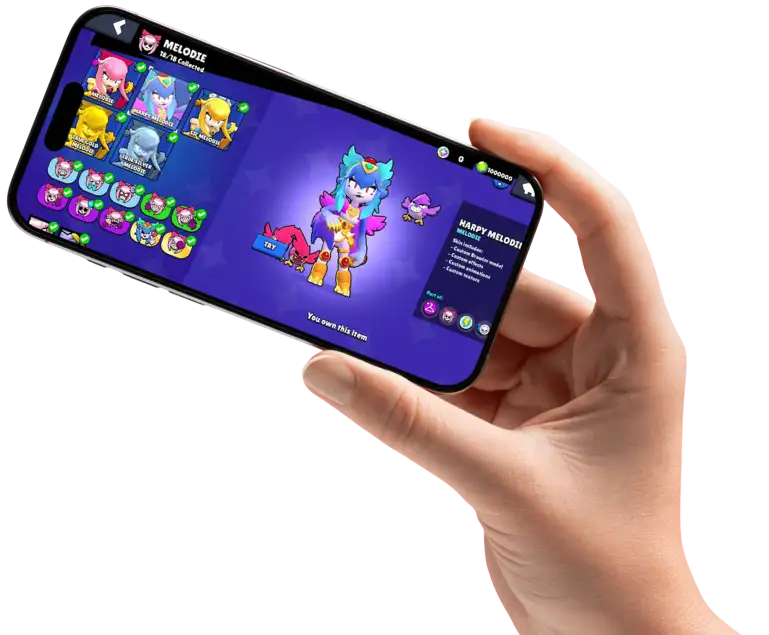
Null’s Brawl v67.264 – Latest Updates & New Features
The May 2026 update for Null’s Brawl v67.264 brings an exciting mix of action and fresh content for players. Three new brawlers—Damian, Starr Nova, and Bolt—each offer unique playstyles, from aggressive tank combat to fast-paced assassin moves.
The game also introduces a revamped shop system, making it easier to explore deals and unlock skins. Seasonal content adds new themes, collaborations, and stylish rewards, while events and game modes keep gameplay dynamic and engaging.
With improved features like Buffies and Hypercharges, this update feels more immersive, giving players new reasons to jump in, experiment, and enjoy the evolving Brawl experience.
- Damian, Starr Nova, and Bolt
- 9 New Buffies
- New Season Skins
- Upcoming Game Modes & Events
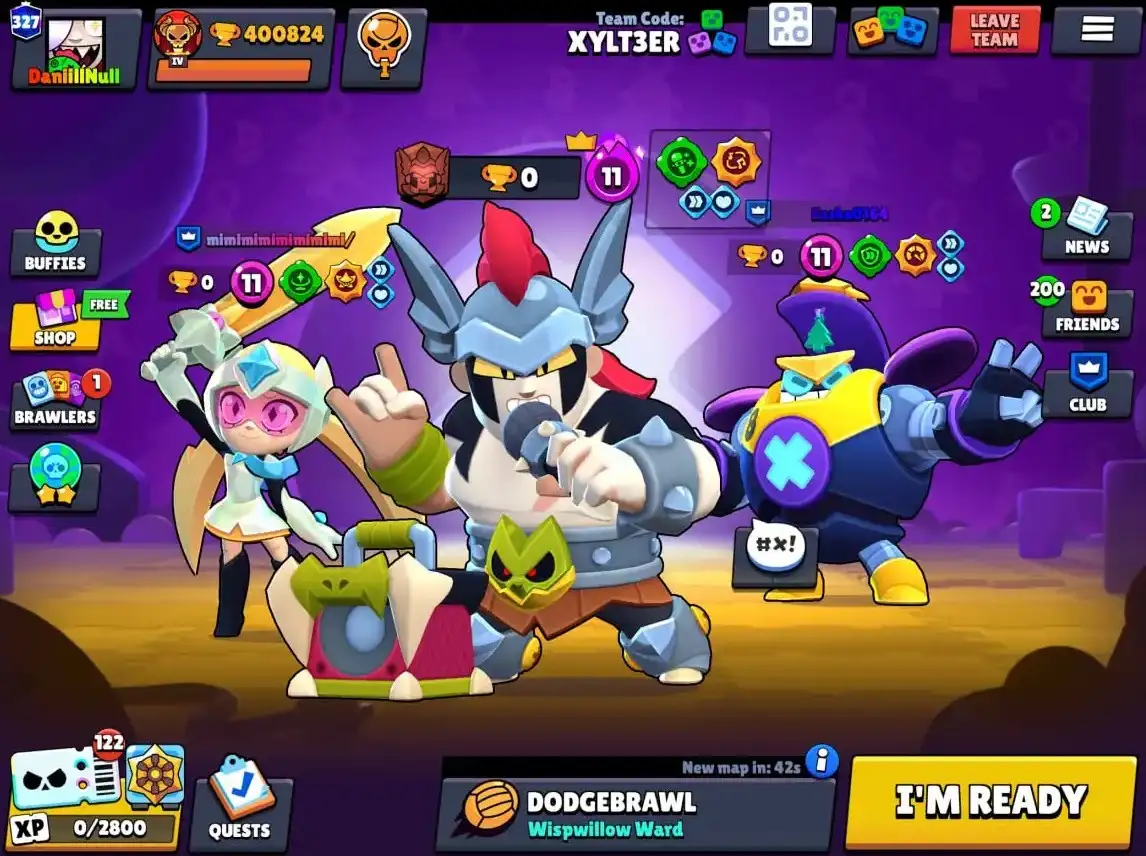
New Brawler: Damian, Starr Nova, and Bolt
Damian (Mythic Brawler): Damian is a hard-hitting tank who dominates close-range fights with powerful combos and area control.
Starr Nova (Mythic Brawler): Starr Nova is a swift assassin who transforms to boost speed, damage, and self-healing in battle.
Bolt (Epic Brawler): Bolt is momentum-based tank that grows stronger with speed, smashing into enemies for heavy impact damage.
App Name | Null’s Brawl |
Latest Version | v67.264 |
Last Update | 4 May 2026 |
Required | Android 8.0 or iOS 14.0 + |
APK Size | 1.1 GB |
Developer | daniillnull |
Total Downloads | 1,00,000,000+ |
Primary Features of Null’s Brawl

In Brawl Stars, you can play with Brawlers and participate in many game modes. You can play with friends, solo, or with random multiplayer players. You can win coins, trophies, skins, emotes, gadgets, and so much more in this game. There are currently 90+ Brawlers in the game with hundreds of beautiful & unique skins.
Hypercharges & Skins
Nulls Brawl has all the Hypercharges & Skins unlocked. As we know, Hypercharge unlocks at brawlers’ Power Level 11 and makes them super-powerful. Unlocking them requires so much efforts, but no more, if you have Nulls Brawl installed. Along with hundreds of exclusive skins & seasonal ones. Everything is UNLOCKED here!
Key Fixes & Improvements
In the latest Null’s Brawl Update v66.263, various bugs are fixed and many improvements happened. Many Brawlers are improved including Mico’s Super & Stu’s Hypercharge. Cripple Effect removed from Crow’s & Trunk’s Super. Various improvements done in Club chat for low-end devices. Projectiles physics has been improved in this update for destroyed walls.
Core Features of Null’s Brawl
There are numerous features of Nulls Brawl game however, the best Features explains it entirely. These features are Unlimited Gems, Unlocked All Skins & Brawlers, Hypercharges, and the release of the Newest Updates!
Unlimited Gems, Coins & Resources
In Nulls Brawl, features like Unlimited Gems, Coins, and other resources are available. Means, you don’t have to worry about upgrading any of the items anymore. Gems are pretty costly in the original, that’s why Null’s Brawl makes the game a little easier.
All Brawlers, Skins & Profiles Unlocked
Getting all the brawlers, skins, and profiles is a blessing for any Brawl Stars player, it’s now possible with Nulls Brawl. All are unlocked for free in our private server. We make sure that all the newest Brawlers are released as soon as possible and should be available here as well.

Max Level Brawlers
When you unlock a brawler in the game, you need to upgrade its Power to the Max level 11 which requires a lot of efforts & time, for sure, however, in Nulls Brawl, all the brawlers are unlocked and upgraded to their Power Level 11. So, all the players save their time upgrading them, and just play them in their best forms.
Multiplayer Friendly Battles
Nulls brawl brings the working multiplayer battles for all the players across the world. No matter where you are, you can play Nulls Brawl with the other real players, or with your friends. The server is wide and available in all the countries just like the original game.
Events, Challenges & Custom Modes
In our private server, you can expect all the newest events, challenges, and custom modes as well. Our community brings the best features on this server.

Regular Fast Updates
Unlike any other private server, we do our best updating the game, and bring you the latest updates as soon as possible. In Nulls Brawl, you can play with the newest brawlers, participate in the latest events, and tournaments. Usually, it takes around a week to release a new update for Android & iOS once the original game is updated.
No Ads & Community Tools
The best thing here is “No Ads”. Nulls Brawl is completely Ad-free. It means, the developers are doing the best, providing the best user-interface as possible for this private server, along with the other Null’s Servers. Also, the community tools includes various customizations, mods, and other cool features, that can be added separately.

Gadgets
In Nulls Brawl, Gadgets are unlocked. These can be used three times in a battle. It comes with a cooldown. Gadgets offer amazing abilities such as speeding up, shield, attack power increase, and much more in the game. During multiplayer battles, these help a lot. Gadgets unlock at Level 7.
Star Powers
These are the passive abilities that increases Brawler’s basic attacks and their Super Attacks as well. Star Powers unlock at Level 9.

Gears
They grant passive bonuses to brawlers. These unlock at Level 8 & 10.
Hypercharges
Hypercharges are the best thing in Nulls Brawl, as these are already unlocked in the game. In Brawl Stars, you need to upgrade your Brawlers to Max Power Level 11, only then you can unlock their Hypercharge with 5000 coins (Which is too much). Hypercharges boosts attributes & Super of Brawlers!
System Requirements
The system requirement is not similar in most cases, however, the storage space required is similar. You will need at least 1 GB of storage free, a fast & an active internet connection, and the following.
Nulls Brawl APK requires a minimum Android Version 8.0 or higher. Also, your device should contain at least 4GB RAM.
You can play Null’s Brawl on most of the iOS devices with Apple iOS version 14 or higher.
To play Nulls Brawl on PC, you will need to use any Android Emulator, and it can eat a lot of resources. Playing on PC will require at least 8 GB RAM, Dual Core Processor, 4 GB VRAM. If you have less, consider playing on the lowest settings.
Download & Install Null’s Brawl APK on Android

Open Null’s Brawl official website “Nullsbrawl.io” to download the latest APK for Android. Tap on the download button and download Null’s Brawl APK for Android.
On Null’s Brawl APK from the downloaded files, as the Null’s Brawl is not downloaded from the official Play Store, it will ask you to trust the source. Open settings, enable installation from the Unknown Source.
Tap on the install button, Null’s Brawl will be installed in a few seconds.
Nulls Brawl icon will appear on the home screen. Launch/verify the game, and enjoy Unlimited Resources & Unlocked Brawlers.
Install Null’s Brawl IPA on iOS
There are various methods to install Nulls brawl IPA on iOS on your iPhone or iPad. However, we are sharing the best methods which requires a PC. You can install Sideloadly or AltStore on your PC.
Once Sideloadly or AltStore is installed on your PC, connect your iOS device to it and verify the device. Connect your Apple account on it and verify successfully.
Now, you are ready to sideload the Nulls Brawl IPA with Sideloadly or AltStore.
Install the IPA successfully. Now, trust the profile on your iPhone or iPad.
To play Nulls Brawl on your iOS device, you will need to enable the Developer Mode on your device. If you can’t, there is no way to play it on your device. You can enable the developer mode using XCode on Mac & connecting your iPhone to it or by using Tenorshare if you don’t have a Mac and use Windows instead.
Once the developer mode is enabled, you can play the Null’s Brawl on your iPhone or iPad.
Play Null’s Brawl on PC with Emulator
Playing on PC requires you to download any Android Emulator & install it on your PC (Windows or Mac). You can use BlueStacks, LDPlayer, NOX or any other. Just complete the setup & install it properly.
Once the Android Emulator is installed, drag & drop the Null’s Brawl APK file onto it. The file will be installed shortly and the Nulls Brawl icon will appear on the Emulator screen. Then, you can play Nulls Brawl on PC.
If your PC is having less than 8 GB of RAM, and 4 GB of Graphics Card, it’s better to close background applications, once you run the Emulator as it takes a good amount of resources to run properly. Also, make sure you have updated your Graphics Card Driver, or Windows, for a better gameplay. You can also make sure that your internet connection is connected via LAN instead of Wi-Fi if you are having connection issues in the game.
Null’s Connect: Secure Account & Progress
Null’s Connect is a service offered by us to protect your Null’s Brawl account. It also help you save the game progress across multiple devices. However, it’s optional, if you don’t want to save your progress, don’t use it, it’s like Supercell ID.
Setup Guide
Open Nulls Brawl settings, and tap on Supercell Connect, instead, it will take you to the Null’s Connect screen. Tap on the sign in or create a new account. Fill your email address, and enter the OTP sent to their Email. Once you do, your Null’s Connect account will be ready to use. Now, the game progress will be saved on cloud, and whenever your change your device, or reinstall Nulls Brawl, your progress will not be deleted, if you login the same account via Null’s Connect.
Sync Across Devices
You can sign in from the same account on multiple accounts. The game progress will be synced across multiple devices, just like Google Chrome. But please do not play on the multiple devices at the same time with one account.
Update Null’s Brawl Without Losing Progress
Updating Null’s Brawl can be tough for newbies, but don’t worry, we got you! Follow these simple steps once a new update is available.
Null’s Brawl Commands List
You can use Nulls Brawl commands in Club or Team Chat. Here is the list of all the commands available in game:
All Game Modes Unlocked
There are 13+ game modes in total including Gem Grab, Heist, Bounty, Brawl Ball, Solo Showdown, Duo Showdown, Trio Showdown, Hot Zone, Knockout, Duels, Brawl Ball 5v5, Gem Grab 5v5, and Knockout 5v5.
Heist
In this game mode, your goal is to destroy enemies’ safe. When a team destroy other team’s safe, they are the winners. Also, if the time runs out, then the damage to the safe will be calculated to declare the winner.
Showdown (Solo, Duo, Trio)
In Solo Showdown, compete against 9 players, collect power cubes for HP and attack power, and be the last one standing to win. In Duo mode, 5 teams of 2 players each compete to be the last team standing. In Trio Showdown, 4 teams of 3 players each battle to be the last team remaining.
Knockout
In the knockout mode, you can play either 3v3 or 5v5. In this game mode, your team will need to win the majority of rounds to win the match. If any Brawler is defeated, he won’t be allowed to play in that specific round. Poison cloud will also be there so make sure to defeat the opponents asap.
Brawl Ball
It is another 3v3 or 5v5 game mode. In this mode, players need to score two goals to win the match. Players have loved this mode so much from the start.
Gem Grab
Players can play 3v3 or 5v5 in this mode as well. To win the match, players of a team need to hold 10 gems until the end of the countdown. Players can collect gems from the gem mine or the defeated opponents. It is another fun-to-play game mode of Null’s Brawl.
Hot Zone
In this mode, players need to capture the hot zones available on the map. Once your team has captured all the hot zones, the match will be over.
Brawl Ball 5v5
In Brawl Ball, two teams of 5 aim to score by taking the ball to the opposing team’s goal. The match ends when a team scores two goals or when time runs out.
Wipeout 3v3
In Wipeout, teams of 3 compete to earn points by defeating opponents. The first team to reach the target score wins.
Bounty
This is another amazing game mode of Null’s Brawl. Here, your team needs to defeat opponents to gather bounty stars on their heads. One player can have a maximum of seven stars bounty on their head. The team which has collected 20 stars won the match.
Null’s Brawl vs Brawl Stars: Comparison Table
| Features | Brawl Stars | Null’s Brawl |
| Resources (Gems & Coins) | Limited (Need to purchase) | Unlimited All |
| Brawlers & Skins | Locked (Requires Unlocking) | Unlocked (Completely) |
| Latest Updates | Yes | Yes |
| Multiplayer Battles | Available (Global Server) | Available (Private Server) |
| Save Game Progress | Yes via Supercell ID | Yes via Null’s Connect |
Pros & Cons of Null’s Brawl
Gems & other resources are unlimited. | Not officially available on Play Store or App Store. |
Multiplayer server is available. (you don’t need to play with bots) | Need to update manually. |
All Brawlers & Skins are unlocked for free. | Updates are a little slow. |
Brawlers are upgraded to the Max Power 11. | Sometimes, Null’s Connect doesn’t work. |
Latest events & collabs are available. | Hard to install for iOS users. |
All hypercharges, emotes, profiles, themes, backgrounds, etc. are unlocked. |
Is Null’s Brawl Safe & Ban-Proof?
Yes, it’s safe. Null’s Private Servers are the best in terms of ban-proof & safety. The private server contains no virus, or any malware. Also, due to not officially sponsored or affiliated by Supercell, Nulls Brawl has its own private server, means, it’s different from the official server. So, your account is safe and not in any risk of account ban like other Brawl Stars Mods such as BSD Brawl where thousands of players accounts were banned.
Fix Common Errors & Lag Issues
Frequently Asked Questions
If you want to play Brawl Stars with unlocked Brawlers & skins, or Unlimited Gems, it’s better to play Nulls Brawl.
Download the latest Nulls Brawl update & install again. The game will be updated.
Install the APK/IPA properly using our guide. All the steps are available on our Nulls Brawl Installation Guide.
Use Null’s Connect to save your in-game progress. Follow all the steps to keep your account safe.
When a new update is available in the official Brawl Stars game, it usually takes us a few days to bring the newest update on our private server. Have patience please!